
Instructions for navigating the course site
This book provides Moodle directions for various items in the course.
Health Informatics Online Classroom
Your Dashboard
|
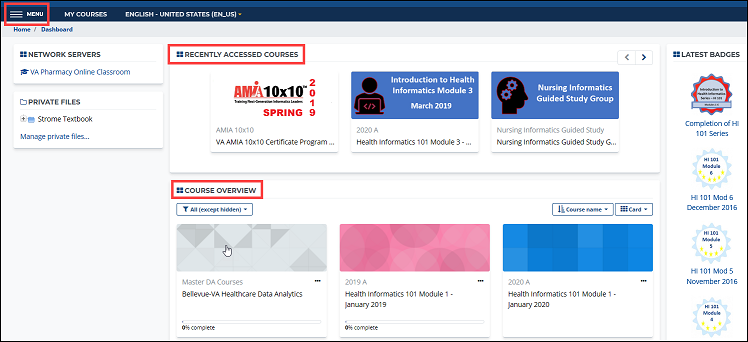
The Dashboard provides an overview of your Moodle classroom. Courses you have recently viewed as well as those you are currently enrolled in are displayed in the center (main) section of the page. On the right, you will see items like badges you have earned, the site calendar, upcoming events, and other users currently online. A dashboard example is shown below. You may navigate to specific courses by selecting them from the dashboard. Other Navigation options are available via the “Menu” icon in the upper-left corner. Using the Menu is described further in the next section. Clicking on a course will take you to that course’s main page. |
 |