
Instructions for navigating the course site
This book provides Moodle directions for various items in the course.
Health Informatics Online Classroom
Main Course Page
|
The main course page will act as your main classroom while working through a course. This is where you will find links to all the course materials. Understanding the elements of the main page will enhance your experience with e-Learning. |
|
|
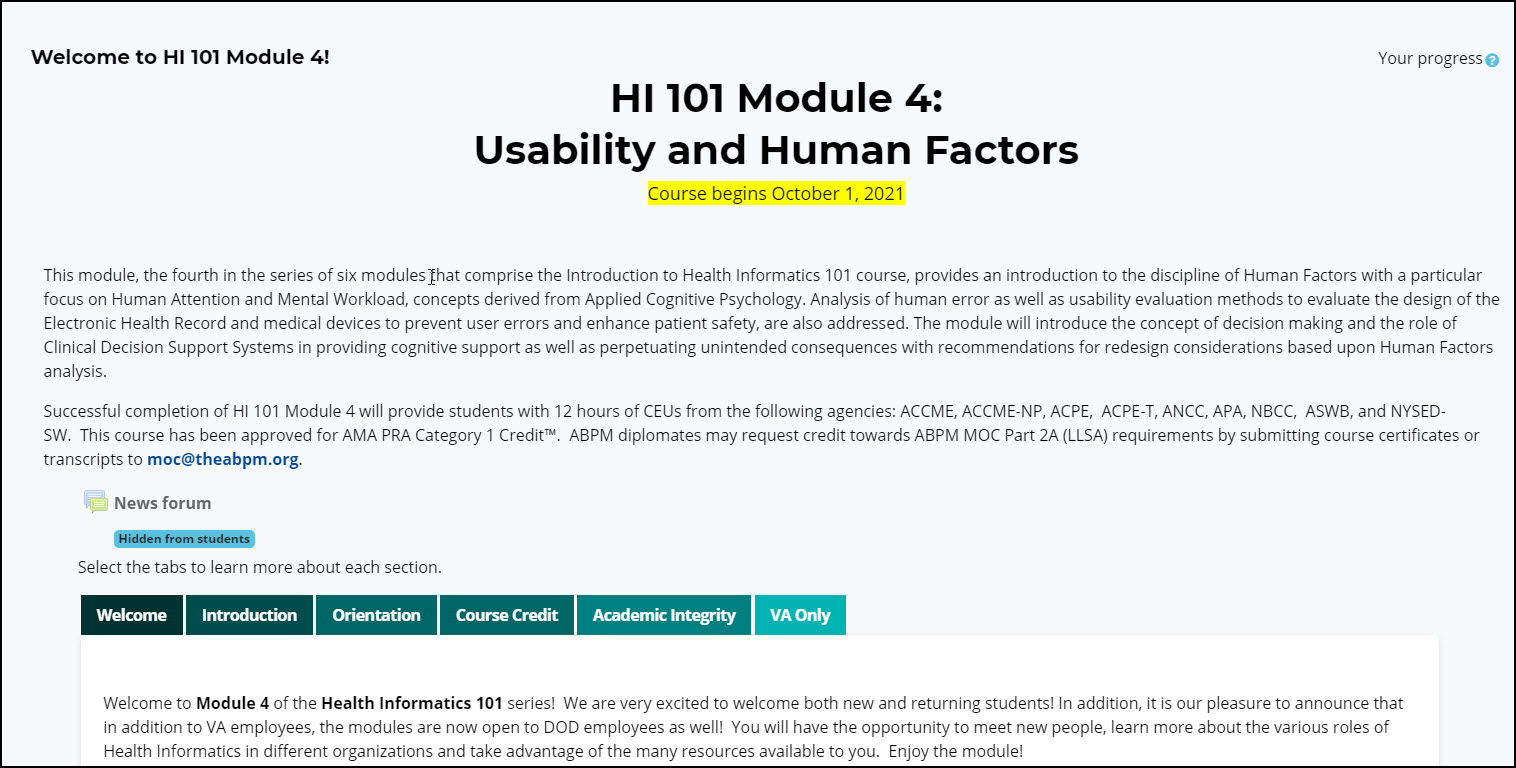
It's important to know how to return to the main course page!
While working through the course. There are two ways to access the main course page from any place in the course: The Breadcrumb Trail and the Navigation Block.
Breadcrumb trail
At the top of each Moodle page, you will see a Breadcrumb trail that describes where you are in the course.
You can select the "Course name" link in the Breadcrumb Trail to return to the main course page.

Navigation Bar
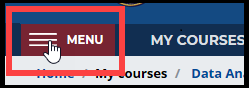 |
Click the “Menu” icon in the upper-left corner. |
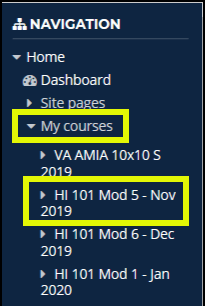 |
The menu will appear on the left side of each Moodle page and you will see the Navigation block at the top. Go to the "My Courses" section and click the link containing the course name to return to its main course page. |
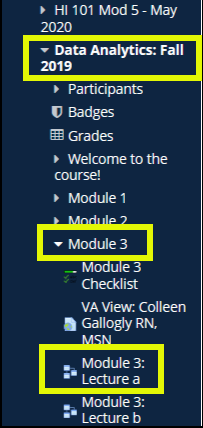 |
NOTE: You can also use the menu to jump to specific assignments within a course.
NOTE: The Navigation block is handy for jumping quickly to a certain assignment or another screen in the course. We DO NOT RECOMMEND using the block exclusively. Important materials may be contained on the main course page that are not linked in the navigation block. The Menu/Navigation bar collapses once you have made your selection. |