Instructions for navigating the course site
How-to
Post in a Forum
|
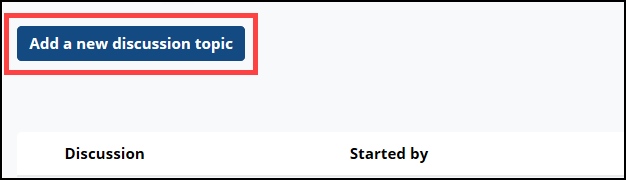
Forum discussions are a key component for collaborative learning in Moodle. When asked to post a new discussion, use the “Add a new discussion topic” or “Add a new topic” button to compose your post. |
 |
|
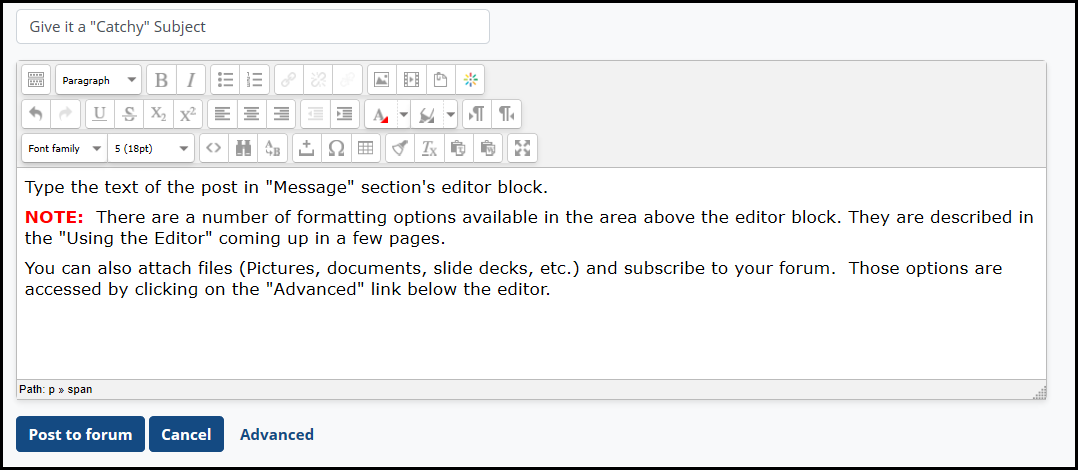
The window for entering and editing text will appear. Type the text of the post in "Message" section's editor block. |
 |
|
NOTE: There are a number of formatting options available in the area above the editor block. They are described in the "Using the Forum Editor" section coming up next. You can also attach files (Pictures, documents, slide decks, etc.) and subscribe to your forum. Those options are accessed by clicking on the "Advanced" link below the editor. They are discussed in the “Forum Advanced Options” section. Don't forget! Be sure to click the “Post to forum” to save and display your post. You will have 15 minutes to make any changes to your post, after which time you can no longer edit the content. |
 |